Dua rekamanTwo recordings
Di acara seperti pernikahan atau konser, kamera merekam video dengan suaranya sendiri, sementara recorder terpisah merekam suara yang lebih bagus.At events such as weddings or concerts, cameras record video with their own sound, while a separate recorder captures better audio.
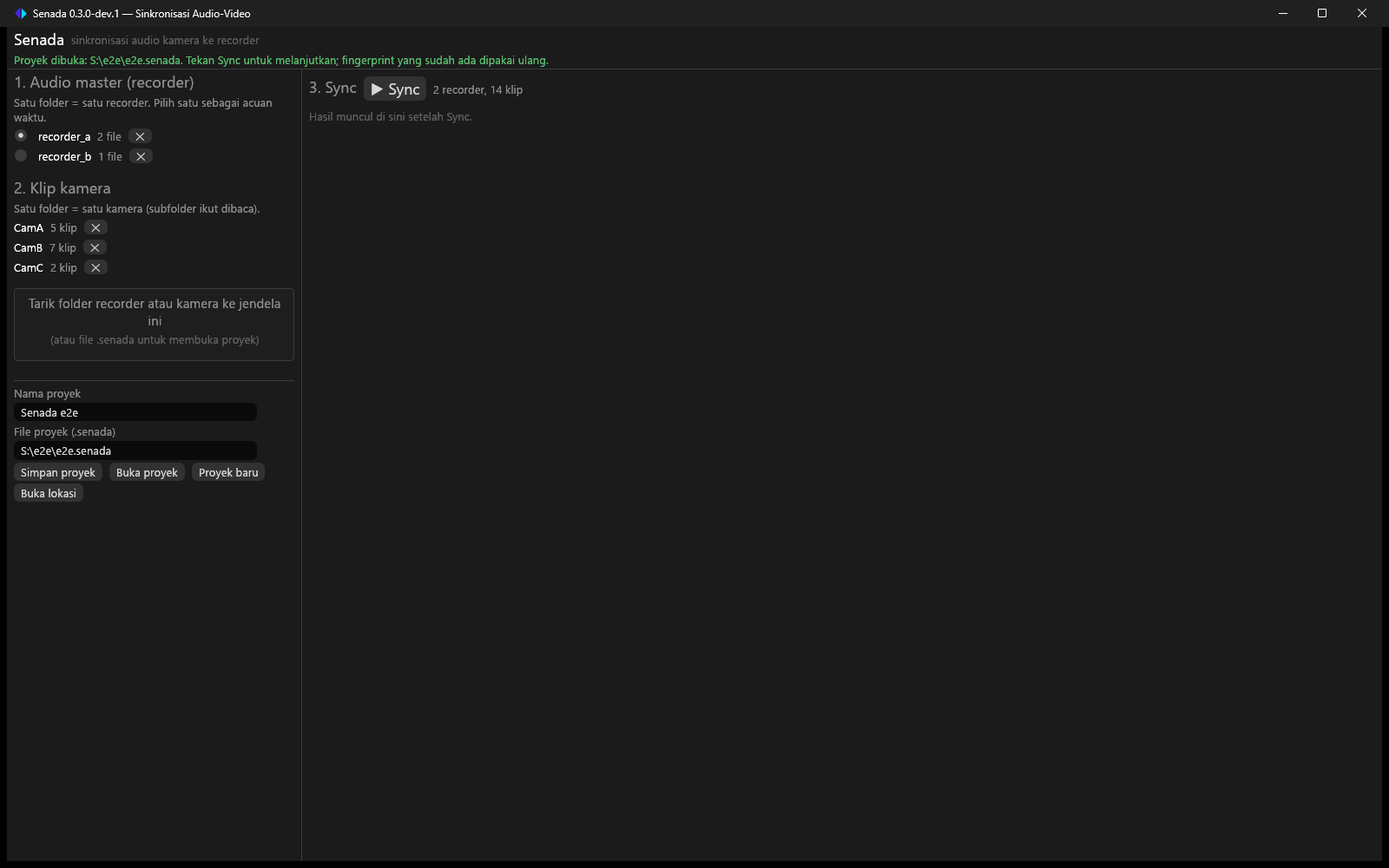
Klip kamera terputus-putus; recorder merekam terus dan jadi acuan (master). Masalahnya: tiap klip kamera belum tahu posisinya di sepanjang rekaman recorder.Camera clips start and stop; the recorder keeps running and becomes the reference (the master). The problem: no camera clip knows where it sits along the recorder's timeline.
Cari pola suara yang samaSearch for the same sound pattern
Senada mengambil sidik suara (fingerprint) tiap klip, lalu mencari pola yang sama di rekaman recorder.Senada takes an audio fingerprint of each clip, then looks for the same pattern in the recorder's audio.
Hasilnya kandidat posisi: di bagian mana klip itu kemungkinan direkam.The result is a candidate position: where the clip was most likely recorded.
Periksa ulangDouble-check
Kandidat itu diperiksa lagi dengan GCC-PHAT, lalu dicocokkan dengan jam kamera.The candidate is checked again with GCC-PHAT, then compared with the camera clock.
Klip baru ditandai hijau (Tersinkron) kalau dua bukti setuju: suaranya cocok, dan posisinya cocok dengan jam kamera. Kalau tidak, klip tidak dipaksa hijau.A clip turns green (Synced) only when two pieces of evidence agree: the audio matches, and the position matches the camera clock. Otherwise it is not forced to green.
Geser sampai cocokPut each clip in place
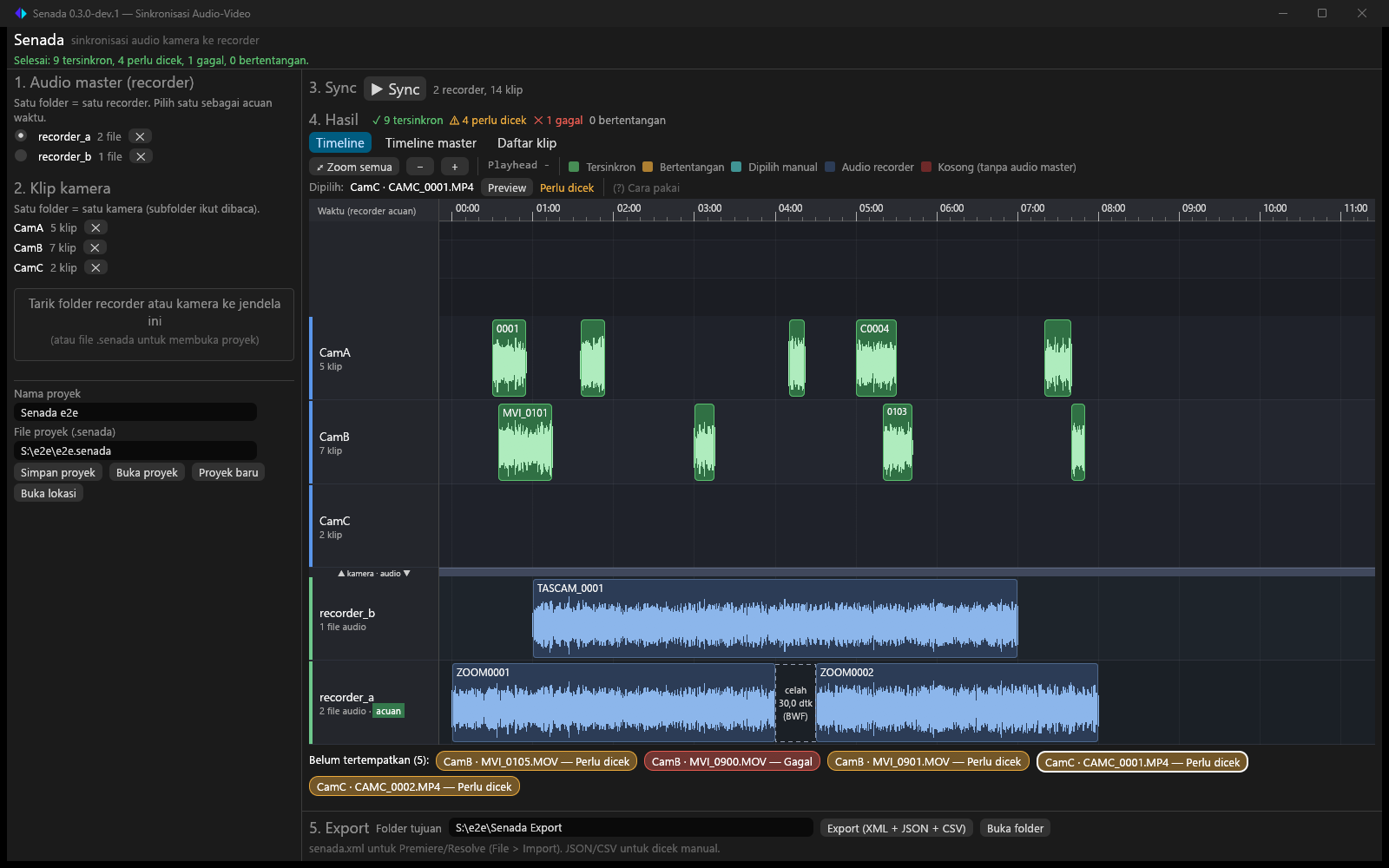
Klip digeser ke posisinya di timeline, dan tiap klip mendapat status dengan alasan tertulis.Clips move to their place on the timeline, and every clip gets a status with a written reason.
- TersinkronSynced (hijau): dua bukti setuju.(green): both pieces of evidence agree.
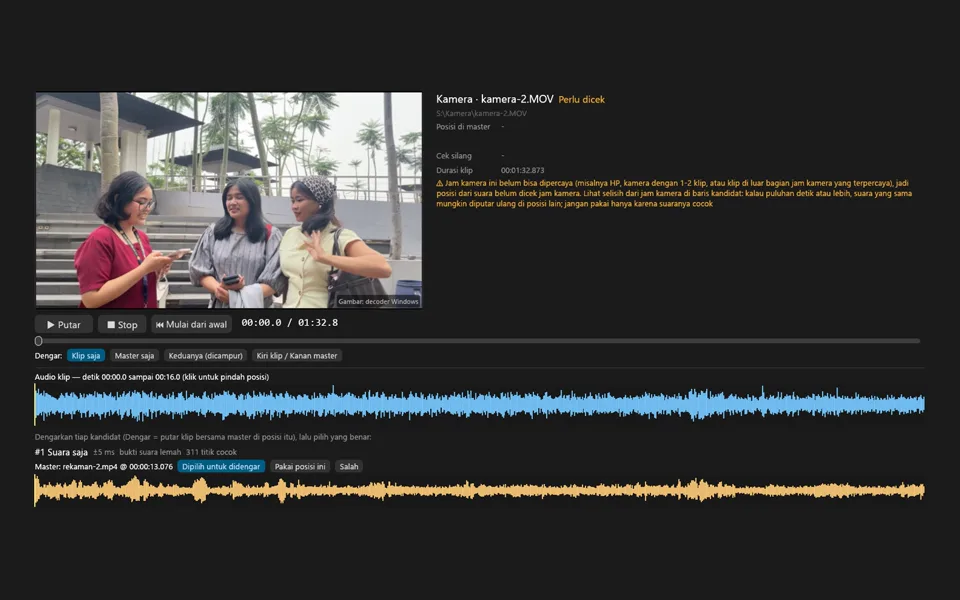
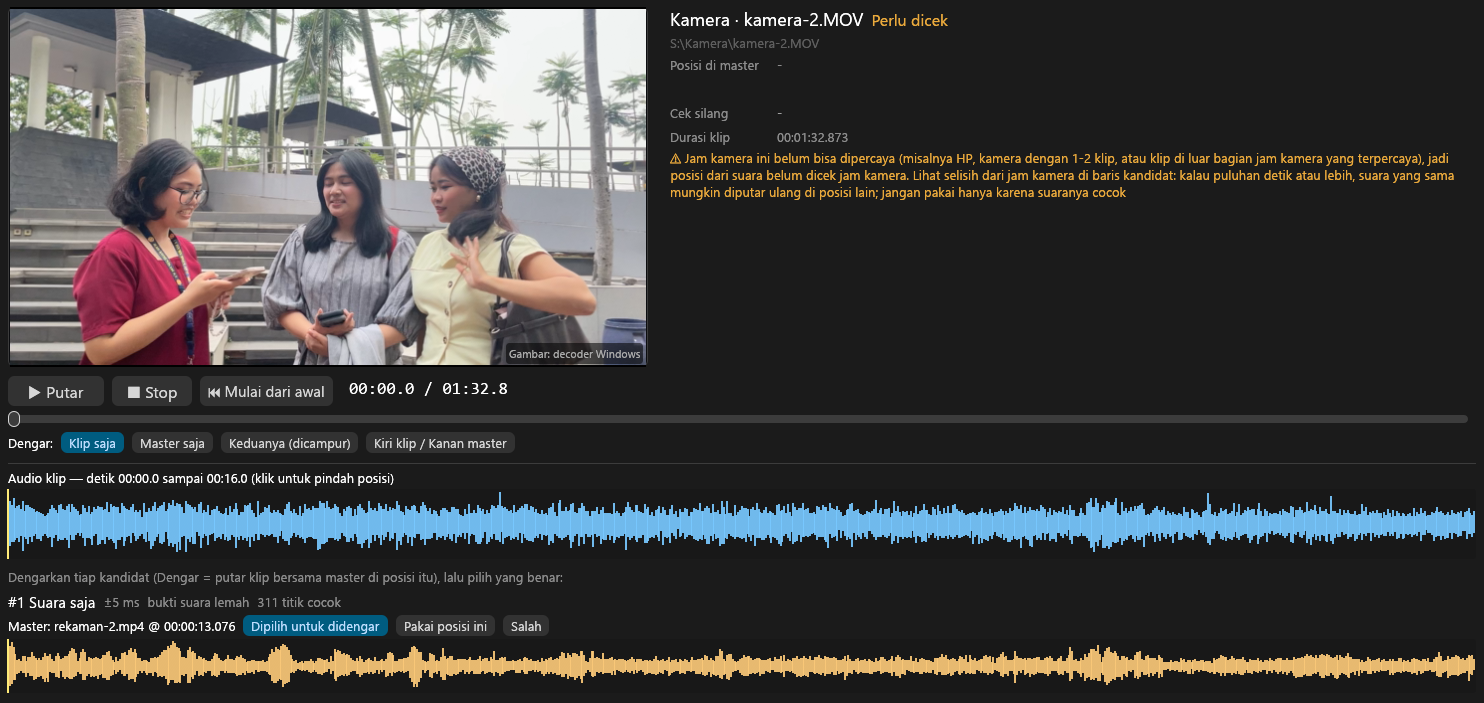
- Perlu dicekNeeds review (kuning): ada alasannya, misalnya suara berulang di master. Sampai 4 kandidat bisa didengar, lalu dipilih "Pakai posisi ini" atau "Salah".(yellow): with a reason, for example a repeated sound in the master. Up to 4 candidates can be listened to, then accepted or rejected.
- GagalFailed (merah): juga dengan alasan, misalnya file tidak bisa dibaca.(red): also with a reason, for example a file that cannot be read.
- Kalau dua bukti tidak cocok, statusnya Bertentangan.When the two pieces of evidence disagree, the status is Conflicting.
Ekspor untuk editor videoExport for the video editor
Hasilnya diekspor jadi timeline FCP7 XML, format yang dibaca Premiere dan DaVinci Resolve, plus JSON dan CSV.The result is exported as an FCP7 XML timeline, a format read by Premiere and DaVinci Resolve, plus JSON and CSV.
- Yang masuk XML hanya klip hijau dan klip yang digeser manual. Klip kuning menunggu dikonfirmasi.Only green clips and manually placed clips go into the XML. Yellow clips wait for confirmation.
- Posisi di XML dibulatkan ke frame terdekat; selisih yang lebih halus ada di JSON dan CSV.Positions in the XML are rounded to the nearest frame; finer offsets are in the JSON and CSV.
- 699 tes otomatis lulus (versi 0.3.0-dev.1, 17 Nov 2026).699 automated tests pass (version 0.3.0-dev.1, 17 Nov 2026).
Timeline di layar 3D adalah contoh ilustrasi, bukan hasil dari footage asli.The timeline on the 3D screen is an illustration, not output from real footage.